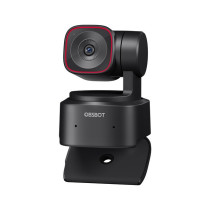
OBSBOT Tiny 2 Lite – 4K AI Webcam with Motorized Gimbal
Full Description
What is OBSBOT Tiny 2 Lite?
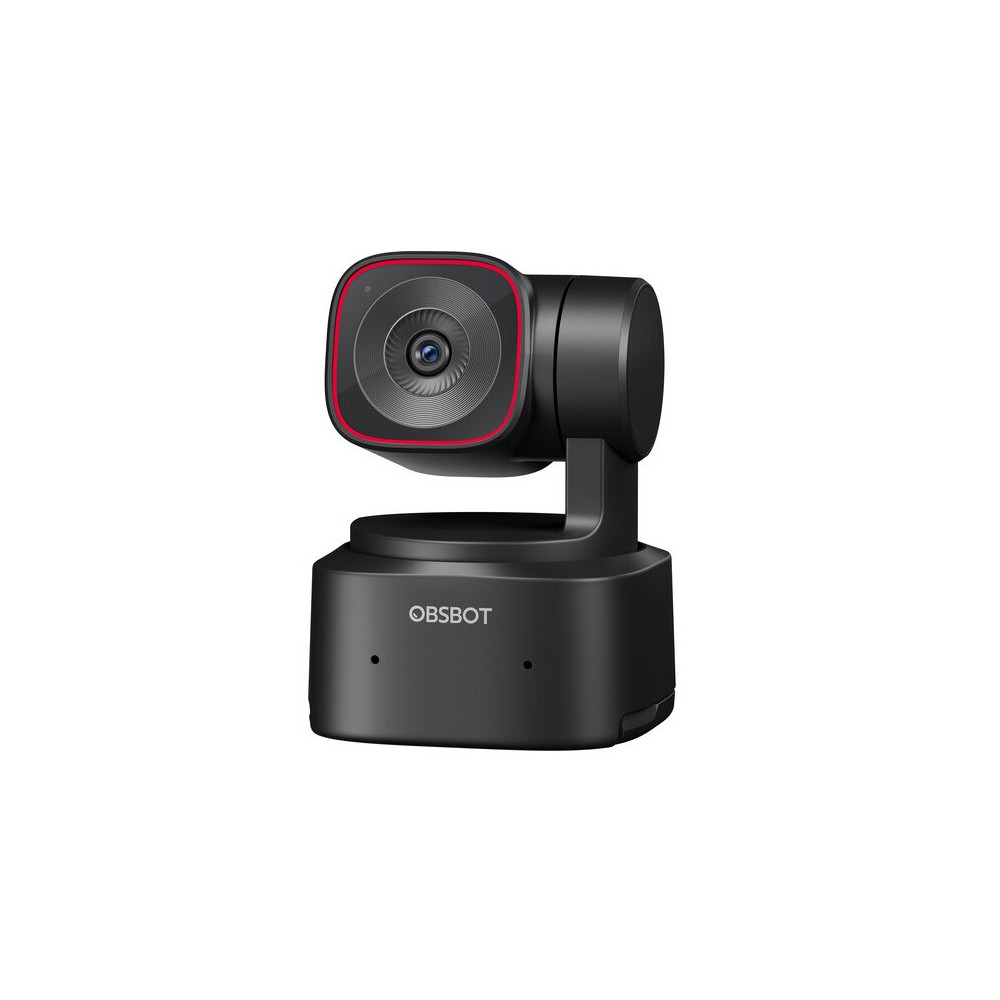
OBSBOT Tiny 2 Lite is a smart 4K webcam designed to deliver professional-grade performance at an accessible price. Featuring advanced AI, a 2-axis motorized gimbal, and omnidirectional microphones with noise cancellation, it’s perfect for video conferencing, streaming, online teaching, and content creation.
Who is it for?
- Professionals: for high-quality video meetings.
- Streamers and creators: for dynamic and engaging content.
- Educators: for interactive online lessons.
- Remote workers: for the best work-from-home experience.
Main Features
4K Ultra HD Video Quality
With a 1/2" CMOS sensor, OBSBOT Tiny 2 Lite captures resolutions up to 4K at 30fps and 1080p at 60fps, ensuring crisp, detailed images even in low light.
Advanced AI Features
- Auto-Tracking with Auto Zoom: keeps the subject centered automatically.
- Body Part Tracking: upper-body, close-up, and gesture-following modes.
- Gesture Control 2.0: manage your camera with simple hand gestures.
2-Axis Motorized Gimbal
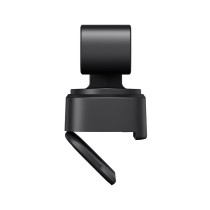
The integrated gimbal provides smooth pan (±140°) and tilt (30°~ -70°) motion for stable, professional framing.
High-Quality Audio
Equipped with dual omnidirectional microphones with noise cancellation and voice enhancement technology for clear, natural audio.
Preset Modes
Save up to three customized presets for PTZ position, tracking mode, image settings, and background blur.
Privacy Guaranteed
Sleep Mode 2.0 lets you set a static image as a privacy screen when the webcam is not in use.
Technical Specifications
Dimensions and Weight
- Size: 48.37 x 46.46 x 64.2 mm
- Weight: 91.4 g
Camera
- Sensor: 1/2'' CMOS
- Effective Pixels: 48 MP
- Aperture: f/1.8
- FOV (D): 79.4° (4:3)
- FOV (H): 67.2° (4:3)
- Equivalent Focal Length: 26 mm
- Minimum Focus Distance: 10 cm
- Video Resolution:
- MJPEG: up to 4K at 30fps
- YUV: up to 640x480 at 30fps
- Digital Zoom: 1-4x
- Focus Type: AF/MF (PDAF)
- HDR: Supported
2-Axis Gimbal
- Mounting: Non-removable
- Controllable Range:
- Pan: ±140°
- Tilt: 30°~ -70°
- Mechanical Range:
- Max Controllable Speed: 120°/s
Audio
- Audio Input: Dual omnidirectional microphones with noise reduction
- Audio Modes: Noise Reduction / Auto Gain Control
Power Supply
System Requirements
- Windows 10 or later
- macOS 11 or later
- Recommended for 1080p 60fps and 4K:
- CPU: Intel Core i5 7th Gen or higher
- RAM: 8 GB
Box Contents
- 1x OBSBOT Tiny 2 Lite
- 1x USB-C to USB-C Cable
- 1x USB-C to USB-A Adapter
Frequently Asked Questions (FAQ)
How can I update the firmware of the OBSBOT Tiny 2 Lite?
You can update the firmware through the OBSBOT Center software. Check for updates directly within the application or download the latest version from the official website.
Does the OBSBOT Tiny 2 Lite support HDMI output?
No, the webcam does not have a built-in HDMI output. However, you can use the OBSBOT UVC to HDMI adapter (sold separately) to convert the UVC signal to HDMI.
Can I record videos directly to a Micro SD card?
No, the OBSBOT Tiny 2 Lite does not have a Micro SD card slot. To record videos, you need to use recording software on your computer or compatible external devices.
How can I control the OBSBOT Tiny 2 Lite?
The webcam can be controlled via the OBSBOT Center software, Elgato Stream Deck, the dedicated remote control, or the web interface (when using the UVC to NDI adapter).
The gesture control feature isn't working properly. What should I do?
Ensure the environment is well-lit and free from direct light sources that may interfere. Restart the device and check for firmware updates. If the issue persists, contact OBSBOT customer support.
Can I use the OBSBOT Tiny 2 Lite with a Smart TV?
Yes, if the Smart TV supports the UVC protocol. However, it's recommended to verify your TV model's compatibility before purchasing.
Is it possible to use the OBSBOT Tiny 2 Lite with Android devices?
Yes, but only with devices that support the UVC protocol and using an OTG adapter. It's advisable to check your Android device's compatibility before use.
Does the OBSBOT Tiny 2 Lite support virtual backgrounds?
Yes, through the OBSBOT Center software, you can enable the virtual background feature, allowing you to customize your environment during video conferences.


 Italiano
 Inglese